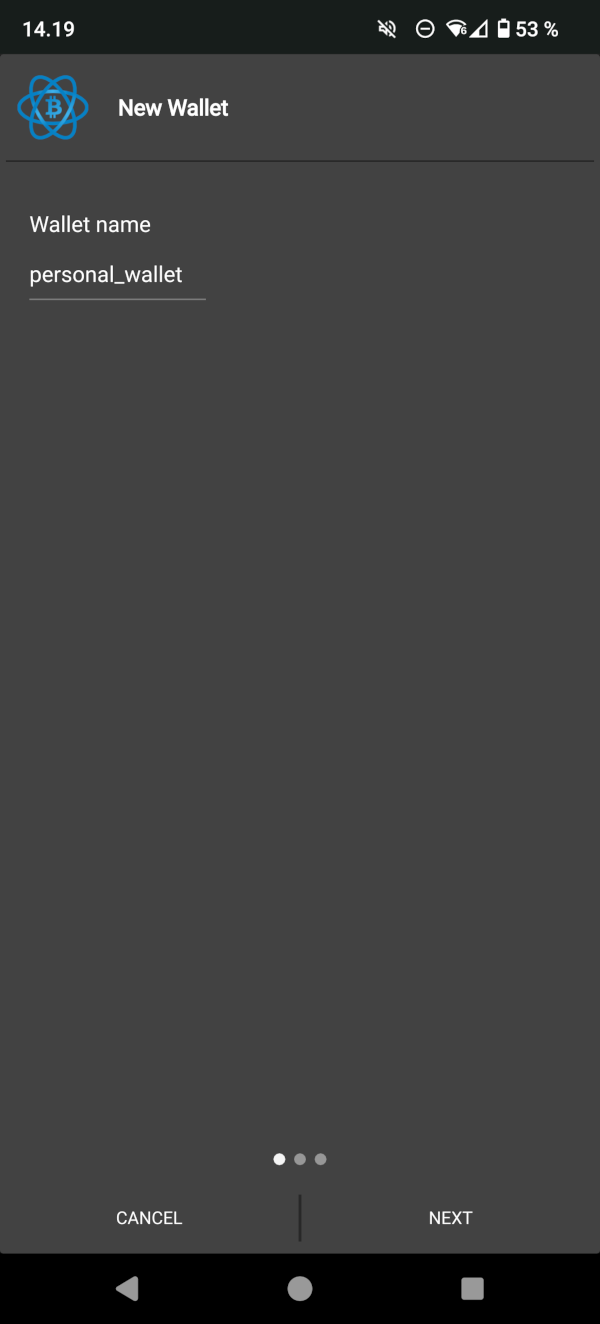
Give a name to your bitcoin wallet and click “Next”
Select “Standard wallet”-option, since that is the only option which allows you to sign messages with bitcoin addresses. If you want extra security and want to create “Wallet with two-factor authentication” or
“Multi-signature wallet”, create first "Standard wallet" for withdrawing funds from Localbitcoins.
Creating and using those options will require some extra steps, and in case you are interested about those, please refer to the Electrum documentation.
Select “Create a new seed”
Save your wallet generation seed safely on paper. It is basically a backup copy of your wallet.
If someone gets access to that seed, they have access to your bitcoin wallet. Click “Next”.
You need to rewrite the seed again to ensure that you wrote it down correctly. Click “Next”.
Choose a strong password to your wallet, and click “Next”. It is advisable to encrypt the wallet file.
Step 2: Verify a message with a receiving address
First you need to select a receiving address you want to withdraw your bitcoins to.
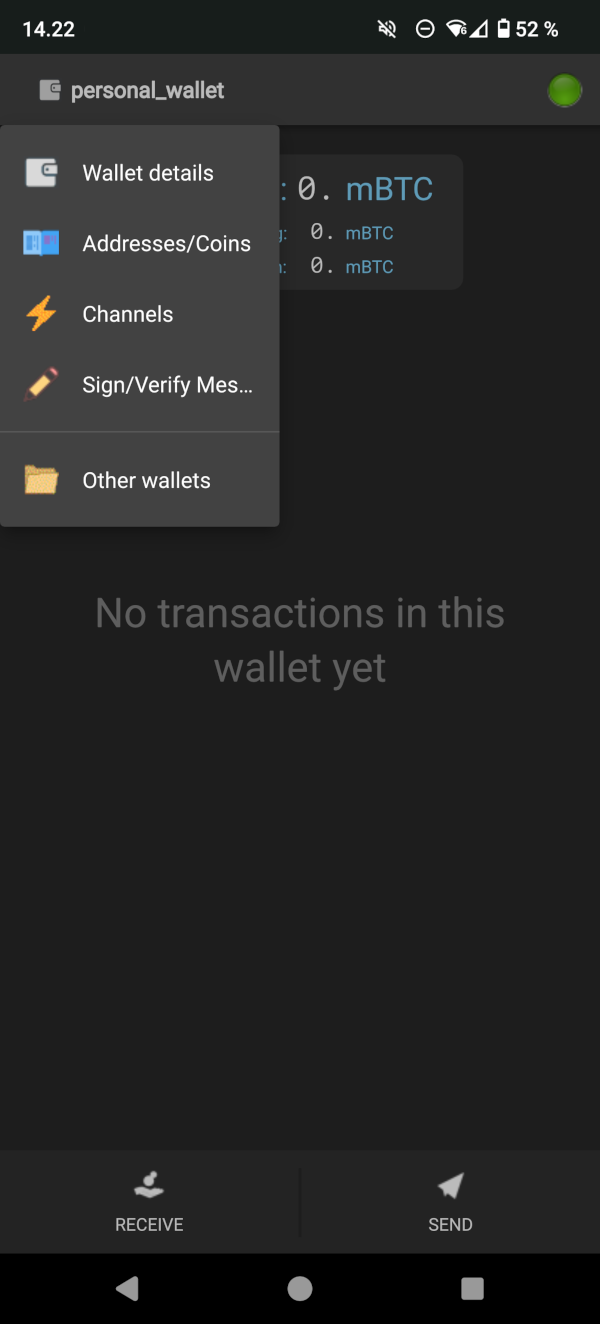
You can view your receiving addresses by tapping left-top corner to open a menu and select “Addresses/Coins”.
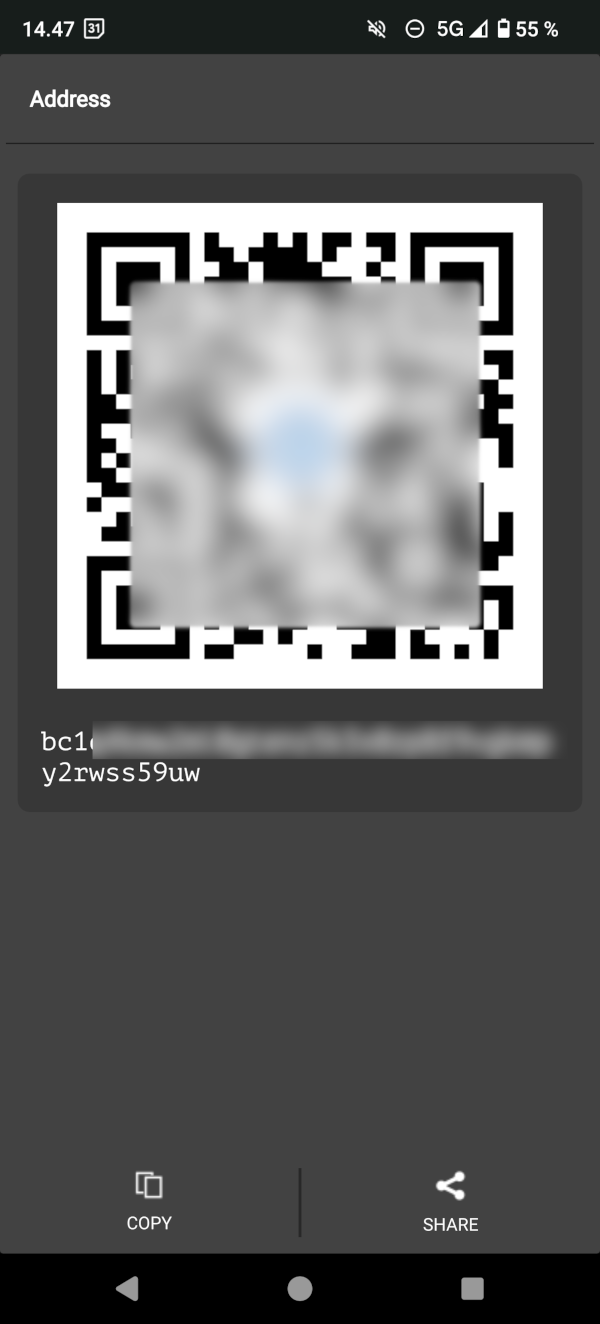
Tap for example the first bitcoin address from the list of addresses, and then tap "share" button on the next to the "Address" section. It opens up a QR code, and on bottom of the page you can click "Copy"
Go back, and pop up the menu again to select "Sign/Verify Message" from the list.
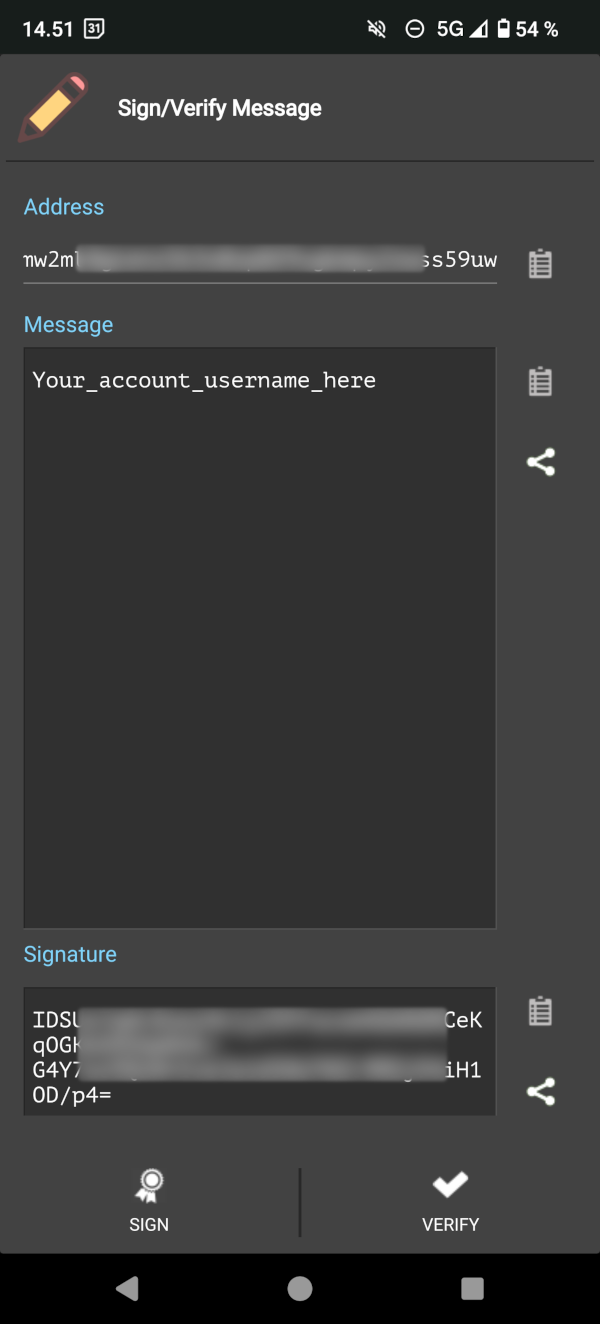
Write your account username to the “Message” field.
Remember that you need to use the exact same username and bitcoin address with your withdrawal at localbitcoins.com.
Paste the address you just copied to the address section, and click “Sign”
You might need to enter your wallet password you set above in order to sign the message.
The wallet creates you a signature you need to copy and paste to the “Signature” field at localbitcoins.com
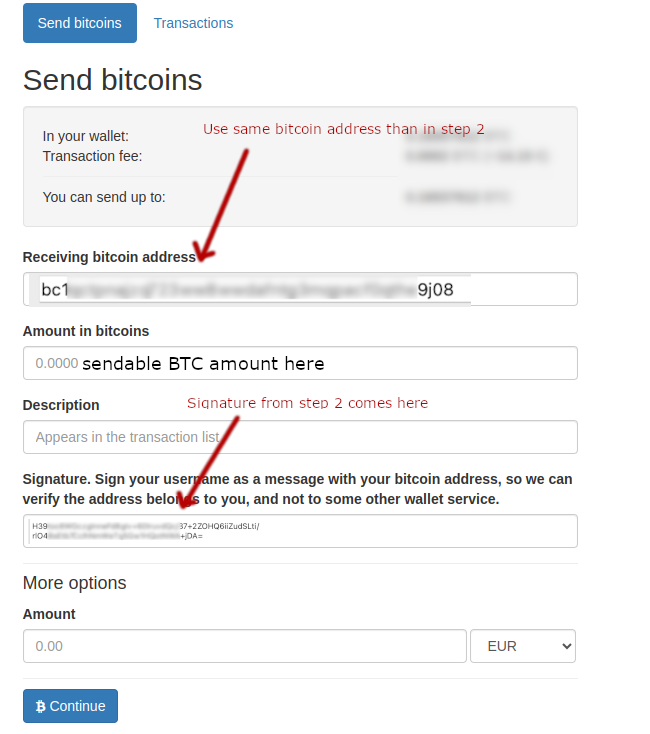
Fill in the withdrawal form. Remember to use the same bitcoin address you used when signing your username,
and copy the signature from Electrum to the signature field.
Click "Continue" to proceed to finish the withdrawal